8BitDo PCE 2.4g Controller Guide & Review
To coincide with the release of the PC Engine Mini (a.k.a. TurboGrafx-16 Mini), controller and peripheral manufacturer 8BitDo released the 8BitDo 2.4g Controller. It's modeled after the PC Engine controller. But slightly smaller and with rounded corners. 8BitDo released it in three different colorways to match the different variants of the PC Engine hardware: PCE Edition, TG 16 Edition, PCE Core Edition.
It has a top row of turbo buttons, which also can be set to act like X and Y buttons on an Xbox controller when the controller is set to XInput mode.
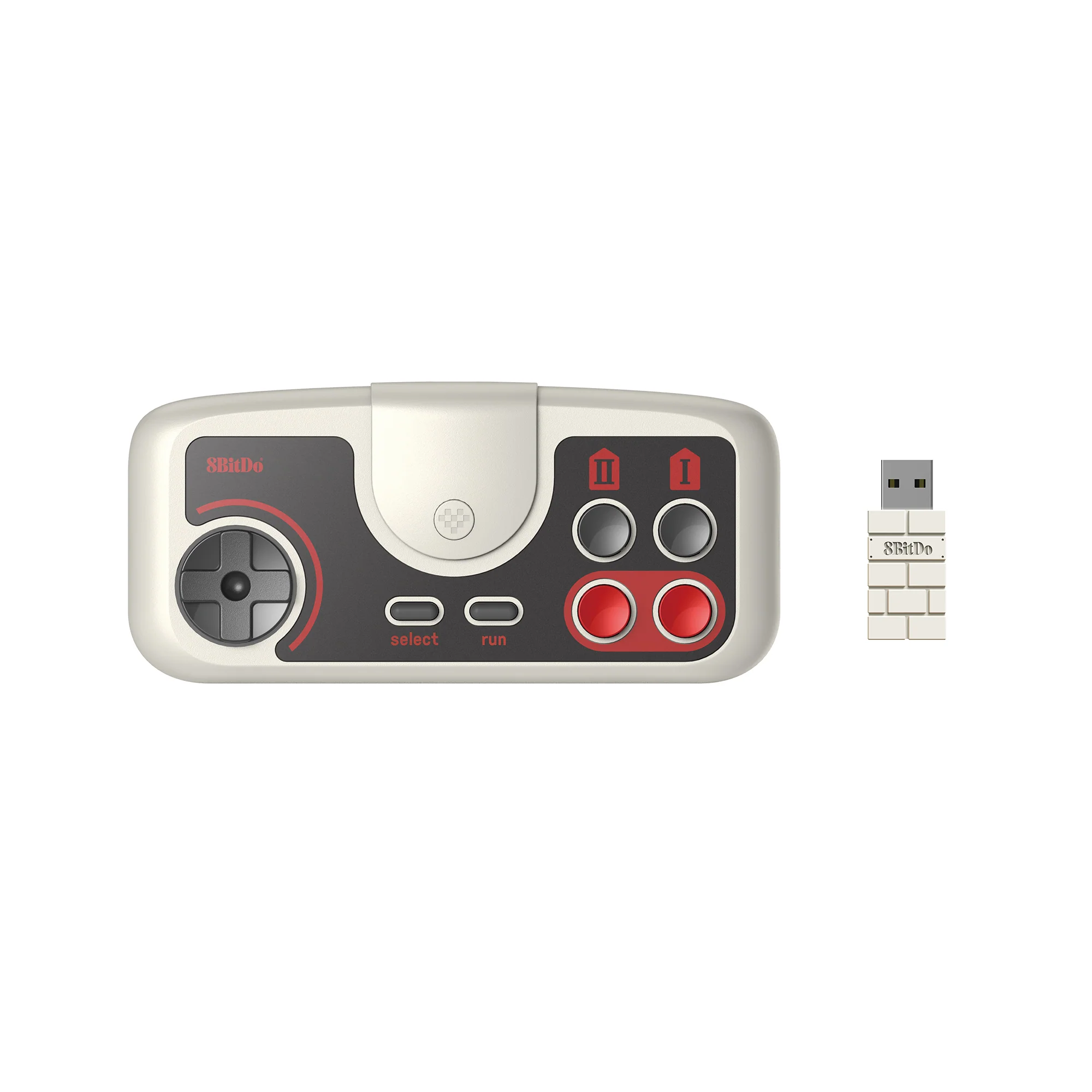
The controller charges over a Micro USB port. It can communicate with devices over wired connection or with the included 2.4G USB receiver. It's compatible with the PC Engine Mini family of consoles, the Analogue Duo, Nintendo Switch, Windows, and Linux.
It seems to be out of stock in many places as of June 2026. It retailed for US$24.99. Unclear if 8BitDo will manufacture more.
Shortcuts, Hot Keys, & Modes
The 8BitDo PCE 2.4g has some different shortcuts to change the controller's configuration, many of which aren't documented in the manual and have some specific behavior for how they work.
Power
Hold the Home button (pixel heart) for about three seconds to power the controller off. Press it once to turn it back on.
Pairing to the 2.4g Receiver
Plug in the receiver. Press the Home button (pixel heart) to turn on the controller. Move them closer together. Both the blue LED on the controller and the receiver will turn solid blue when connected.
Most of the time, this just works as expected.
If you want to pair your controller to a new receiver, plug in the receiver and turn on the controller and hold Select for 3 seconds until the blue LED light starts to blink. Move it close to the receiver.
Wired Connections
The controller can communicate over a wired connection. You just plug the Micro USB into the controller and the device.
On Windows and Linux, it uses XInput. Wired communication also works on Nintendo Switch.
On the Analogue Duo, it works when connected over Micro USB but strangely enough Button II and Button I are swapped. This is maddening. There's no way, as far as I can tell, to fix this. I believe it's using XInput protocol. Maybe, maybe Analogue has fixed this in a recent firmware update? I am testing on an older version.
Shortcuts
While not in the manual, there are some button shortcuts you can press to change the settings of the controller. These are very helpful for using the controller with PCs, Misters, etc.
Hold each of these combinations for 5 seconds to make the change. You will see the blue light on the top of the controller flash twice.
- Select + Up - d-pad acts as d-pad
- Select + Left - d-pad acts as left analog stick
- Select + Right - d-pad acts as left analog stick
- Select + Down - toggle between the upper two buttons being turbo or additional buttons; when additional buttons, they are X and Y, allowing the controller to be used for four button games with A, B, X, and Y
- Select + Button I + Button II - toggle turbo speed, cycling through 3 different speeds
Again, I can't overstate how useful these are. Completely strange that 8BitDo failed to mention these in the manual. Shoutout to Robert Dale Smith for sharing these on Twitter (but I refuse to link to that hellhole).
Change Modes
The protocol mode of the controller can be changed only when connected via wireless receiver. The following hotkeys do not change the connection protocol used when connected wired over Micro USB cable.
Hold each combination for 5 seconds. The receiver will flash pink and blue when the mode change has happened.
- Run + Up - XInput, useful for PCs and similar devices
- Run + Left - Switch, needed for wireless connectivity with Nintedo Switch
- Run + Down - PC Engine Mode, for the Mini and Analogue Duo; I believe this is communicating over DirectInput
Switching modes is useful for using the correct mode for whatever device you're connecting to. If you're trying to connect to the Nintendo Switch and it's not working, you need to press and hold Run + Left.
On Analogue Duo, in XInput mode, Button I and Button II are swapped, just like when connected wired. If you switch the 8BitDo PCE 2.4g to PC Engine Mode, then Button I and Button II behave properly. So when connecting the controller to an Analogue Duo or PC Engine Mini, you want to use PC Engine Mode. But... of course there's a but! The Home button (pixel heart) when in PC Engine Mode actually is just a combination press of Select + Run. On the PC Engine Mini, this opens the home menu. On the Analogue Duo, this registers Select and Run inputs in the game. To open the system menu on Analogue Duo when in PC Engine mode, you have to Press Select + Down. There's also no way to take screenshots on Analogue Duo when the controller is in PC Engine mode. You essentially have to choose between having the action buttons swapped but with ability to take screenshots (XInput mode) or having the action buttons be correct but no screenshot key combo (PC Engine mode).
I will have to do more testing on Analogue Duo with more recent firmware versions to see if any of this has been fixed at all.
For PCs (Linux and Windows) and Mister, XInput is going to work the best.
Switching modes when connected wirelessly does not change what protocol is used when connected wired after changing it.
This is all horribly confusing and also not documented in the manual. But this will help you get the controller working on a wide range of devices.
Review
I own two of these controllers: the PCE Edition and TG 16 Edition. I like them quite a bit and use them regularly for playing and developing games. The curved buttons fit my thumb nicely and the d-pad is comfortable.
Compared to the Hori-manufactured controller that comes with the PC Engine Mini, the d-pad of the 8BitDo PCE 2.4g is much more responsive for moving in STGs. The edges are also slightly rounded and don't hurt my thumb, whereas the Hori PC Engine Mini d-pad does hurt my thumb. There's a subtle but important difference in the molding. I like to hold the controller with my two index fingers resting on the front-top of the controller.
I have an original PC Engine controller too, which I got used, and I think the d-pad membrane is pretty shot to hell. So compared to that, I like the 8BitDo PCE 2.4g more as well.
I like using the 8BitDo PCE 2.4g controller for playing PCE games, NES/Famicom games, Game Boy games, Game Gear games, UFO 50, and other 2 action-button systems. It's a great controller for it that it's comfortable, has turbo built-in, and has pretty wide compatibility across devices (with its own set of caveats).
I wish Button I and Button II weren't swapped when connected wired to Analogue Duo. But I guess ultimately it's not a huge deal. Playing wirelessly with the receiver or just getting used to the swap is probably fine.
My all-time current favorite controller is the 8BitDo M30, based on the Saturn pad, which is more comfortable for me and has a better d-pad than the PCE. But still, it's nice to play PC Engine games with the 8BitDo PCE pad. It just feels slightly more authentic.